












Businesses need software that works for them, not the other way around. Odoo customization helps modify the platform to meet specific business needs. By adjusting modules, workflows, and integrations, businesses can streamline operations, boost efficiency, and make more informed decisions.
Table of Contents
What is Odoo Customization?
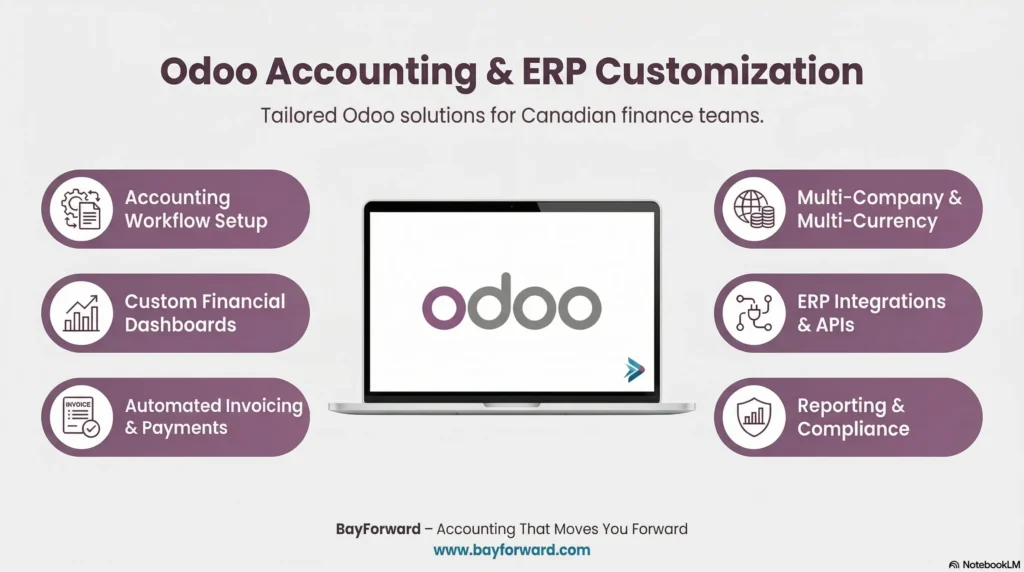
Odoo is an open-source ERP platform. Odoo customization allows businesses to change the software’s features and functions. This ensures the system fits the unique requirements of the company. Customization includes adding or changing modules, modifying workflows, or integrating other software.
Why Choose Odoo Customization?
- Fit for Your Business: Odoo adjusts to your business, not the other way around.
- Efficiency: Automation reduces manual tasks and saves time.
- Growth: Odoo grows with your business, adapting to new needs.
- Competitiveness: With customized solutions, your business gains an edge.
Key Areas of Odoo Customization
Odoo customization covers several areas that enhance business processes.
1. Module Development
Custom modules add extra features to Odoo. Whether it’s for inventory management, accounting, or customer support, these Odoo custom modules provide the specific functions your business needs.
2. Workflow Automation
Odoo can automate tasks to save time and reduce errors. From automatic notifications to task sequences, workflow automation helps businesses work faster and smarter.
3. UI/UX Customization
Customizing the user interface (UI) and user experience (UX) makes Odoo easier to use. This means employees can navigate the system faster, increasing productivity and satisfaction.
4. Report Customization
Odoo lets you create custom reports. Odoo report customization ensures the data you need is always on hand. Whether it’s sales figures, inventory levels, or financial data, reports can be designed to fit your needs.
5. Integration with Other Systems
Odoo works well with other tools. API integration allows Odoo to connect with third-party systems like CRM, accounting software, or inventory management systems. This ensures all your tools work together.
The Odoo Customization Process
The customization process involves several steps to ensure the system fits your business.
1. Consultation & Requirement Gathering
Start by discussing your business needs with an Odoo consultant. This step helps identify the features that need to be customized.
2. Customization Planning
Next, a clear plan is created. It includes the custom modules, workflows, and integrations needed, along with a timeline.
3. Development & Testing
The development team creates and tests the custom features. This step ensures the system functions as expected and meets the requirements.
4. Deployment & Training
Once testing is complete, the customized system is deployed. Employees are trained to use the new features effectively.
5. Ongoing Support & Maintenance
Ongoing support ensures the system remains up to date. Whether it’s fixing bugs or adding new features, regular maintenance keeps the system running smoothly.
Benefits of Odoo Customization
- Streamlined Processes: Automate repetitive tasks to save time and reduce mistakes.
- Better Insights: Custom reports give real-time data to aid decision-making.
- Team Collaboration: Workflow automation improves communication and teamwork.
- Cost Savings: By automating processes, businesses reduce operational costs.
- Scalability: As your business grows, Odoo can adapt with new features.
Odoo customization gives businesses the flexibility to optimize their ERP system. Whether it’s module development, workflow automation, or report customization, Odoo can be adjusted to fit your needs. With ongoing support, your system can evolve as your business grows. Implementing Odoo customization can boost efficiency, improve collaboration, and provide valuable insights to drive success.
FAQs
1. How much does Odoo customization cost?
The cost varies based on the level of customization. Simple changes may cost less, while large projects can be more expensive. It’s best to request a quote from an Odoo consultant.
2. How long does it take to customize Odoo?
The timeline depends on the project size. Small customizations may take a few weeks, while larger projects can take months.
3. Can Odoo be integrated with other software?
Yes, Odoo integrates easily with other systems like CRM software, accounting tools, and more. API integration makes these connections simple.
4. Is Odoo customization suitable for all businesses?
Yes, Odoo can be customized to fit the needs of businesses of all sizes and industries. Whether you run a small startup or a large enterprise, Odoo can adapt.
5. Do I need technical knowledge to use customized Odoo?
No technical knowledge is required to use the system, but having an expert guide the process is helpful. Training is provided to ensure smooth adoption.