













150+ Power BI projects completed
Microsoft Power BI Services
Bay Forward delivers Microsoft Power BI services that help businesses use data for logical decisions.

What We Do
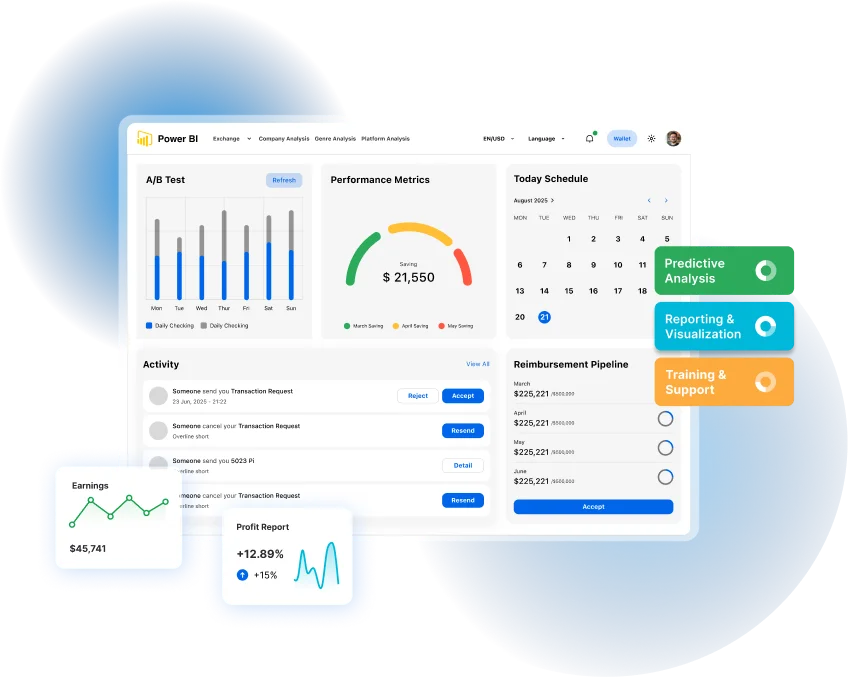
Bay Forward delivers end-to-end Power BI consulting services in Canada, covering strategy, implementation, analytics, automation, and long-term support. We design Power BI solutions that align with your business goals, integrate seamlessly with existing systems, and deliver real business value.
Microsoft Power BI Services We Offers
Deep domain expertise across multiple industries with proven track records of successful AI implementations

Power BI Reporting and Dashboards
We build dashboards and reports that show real business results.
- Interactive dashboards
- Mobile-ready reports
- Custom visuals
- Branded Reports Style
- KPI tracking

Power BI Embedded Analytics
We place Power BI visuals into your apps and internal tools, including embedded analytics for real-time insights.
- Embedded dashboards
- Real-time views
- Web integration
- API support

Data Integration and API Connections
We link Power BI to your business systems for live updates.
- Connect to SQL Server, QuickBooks,
- Dynamics CRM
- Build custom API connections
- Support data warehouse links
- Migrate SSRS reports to Power BI

Advanced DAX and Data Models
We use DAX to create business rules and data calculations.
- Custom metrics
- Forecast models
- AB test logic
- Automated business logic

Microsoft Fabric Integration
We improve Power BI with Microsoft Fabric for better performance.
- Unified data pipelines
- Microsoft 365 support
- Scalable setup
- Built-in governance tools

Security and Compliance
We protect your data and follow global data rules.
- Active Directory for user control
- Role-based access
- Encrypted pipelines
- GDPR compliance
Start with Power BI Consulting Services Canada
Bay Forward helps Canadian businesses gain visibility into their data, improve reporting workflows, and enable self-service analytics.
Deployment Process
Our Power BI deployment process ensures faster adoption and measurable business results through five clear steps:
Discovery
Review goals and current
systems.
Architecture
Plan reports, models, and
links.
Development
Build dashboards and ,
connect data.
Training
Show teams how to use the
system.
Optimization
Improve speed, accuracy,
and uptime.
Client Success

Kiran Shah
Director of Data Analytics
Manufacturing Firm
Bay Forward migrated legacy SSRS reports to Power BI, reducing reporting time by 60%.
- Real-time production dashboards
- Automated KPI reports

(5/5 Rating)

Sarah Montoya
Finance Operations Lead
SaaS Company
Bay Forward delivered real-time Power BI dashboards using Dynamics 365 and SQL Server.
- 80% less manual reporting
- Clear department budget tracking
(5/5 Rating)
Project Results
We help businesses make decisions faster and get support whenever they need it, ensuring high client satisfaction.
150+
Implementations
Delivered across 25+ sectors
72%
Faster Decisions
After Power BI launch
24/7
BI Support
Available across all time zones
97.6%
Report Satisfaction
Measured through client feedback
FAQs
Bay Forward provides complete Power BI services. We create dashboards, build embedded analytics, integrate data, and develop advanced DAX models. We design interactive reports, connect business systems, and build custom visuals. We manage setup, deployment, and ongoing support.
BayForward has completed more than 150 Power BI projects. These projects span over 25 industries. We maintain a 97.6% client satisfaction rate for reporting accuracy. Clients make decisions 72% faster after Power BI implementation.
Yes. BayForward connects Power BI to SQL Server, QuickBooks, Dynamics CRM, and custom APIs. We create live data connections and integrate with data warehouses. We migrate SSRS reports to Power BI for seamless data flow.
1. Discovery – Review goals and systems.
2. Architecture – Plan reports, models, and connections.
3. Development – Build dashboards and reports.
4. Training – Teach the team to use Power BI.
5. Optimization – Improve speed and accuracy.
Clients see faster decision-making, less manual reporting, and better accuracy. A manufacturing client reduced reporting time by 60%. A SaaS company cut 80% of manual reporting tasks.
Microsoft Power BI service is a cloud-based tool that turns data into visual reports and dashboards. It connects to Excel files, databases, and other data sources to create charts and graphs that teams can share and view online.
Power BI is the complete toolkit for business analytics. Power BI service is the online part where you publish and share reports. You create reports in Power BI Desktop, then upload them to Power BI service for team access.
Power BI service has free and paid versions. The free version works for individual use with 1GB storage. Sharing reports with coworkers requires paid plans - Power BI Pro costs $10 monthly per user, Premium starts at $20 per user.
Power BI offers three service levels:
Power BI Free - Individual use only, basic features, 1GB storage
Power BI Pro - Team sharing, 10GB storage, $10 per user monthly
Power BI Premium - Enterprise features, unlimited storage, $20+ per user monthly
Ready to Take Control of Your Books?
Contact us today for a free, no-obligation consultation. Let’s discuss your Power BI needs and how we can help you achieve your goals.